Containerlab Service Destroy Task¤
task api name:
destroy_lab
The Containerlab service destroy_lab task is designed to destroy a specified lab. This task ensures that all resources associated with the lab are cleaned up, including containers, networks, and other artifacts created during the lab deployment.
Containerlab Destroy Task Overview¤
The destroy_lab task provides the following features:
- Lab Cleanup: Removes all containers, networks, and other resources associated with the specified lab.
- Error Handling: Provides detailed error messages if the lab cannot be found or destroyed.
Inputs¤
| Parameter | Required | Description |
|---|---|---|
lab_name |
No | Lab name to destroy |
Output¤
Returns a per-lab boolean result indicating whether the lab was destroyed.
Examples¤
Below is an example of how to use the Containerlab destroy task to clean up a lab.
Example
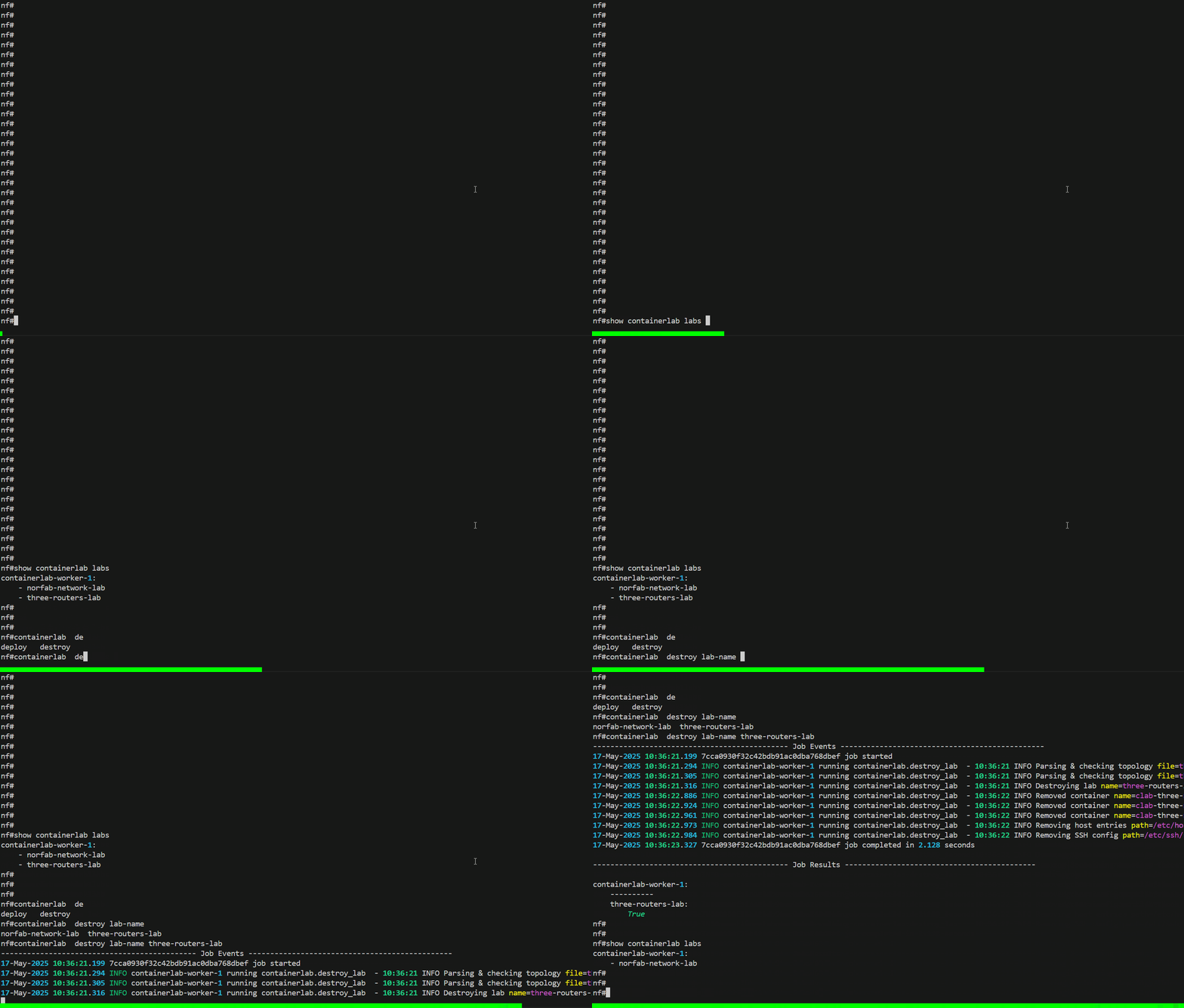
nf#containerlab destroy lab-name three-routers-lab
--------------------------------------------- Job Events -----------------------------------------------
05-May-2025 20:45:48.745 831d3d485489476c98159f8d4dbf7ec2 job started
05-May-2025 20:45:48.805 INFO containerlab-worker-1 running containerlab.destroy_lab  - 20:45:48 INFO Parsing & checking topology file=three-routers-topology.yaml
05-May-2025 20:45:48.818 INFO containerlab-worker-1 running containerlab.destroy_lab  - 20:45:48 INFO Parsing & checking topology file=three-routers-topology.yaml
05-May-2025 20:45:48.831 INFO containerlab-worker-1 running containerlab.destroy_lab  - 20:45:48 INFO Destroying lab name=three-routers-lab
05-May-2025 20:45:50.129 INFO containerlab-worker-1 running containerlab.destroy_lab  - 20:45:50 INFO Removed container name=clab-three-routers-lab-r2
05-May-2025 20:45:50.348 INFO containerlab-worker-1 running containerlab.destroy_lab  - 20:45:50 INFO Removed container name=clab-three-routers-lab-r3
05-May-2025 20:45:50.390 INFO containerlab-worker-1 running containerlab.destroy_lab  - 20:45:50 INFO Removed container name=clab-three-routers-lab-r1
05-May-2025 20:45:50.401 INFO containerlab-worker-1 running containerlab.destroy_lab  - 20:45:50 INFO Removing host entries path=/etc/hosts
05-May-2025 20:45:50.412 INFO containerlab-worker-1 running containerlab.destroy_lab  - 20:45:50 INFO Removing SSH config path=/etc/ssh/ssh_config.d/clab-three-routers-lab.conf
05-May-2025 20:45:50.963 831d3d485489476c98159f8d4dbf7ec2 job completed in 2.218 seconds

--------------------------------------------- Job Results --------------------------------------------

containerlab-worker-1:
    ----------
    three-routers-lab:
        True
nf#
Context manager:
import pprint

from norfab.core.nfapi import NorFab

with NorFab(inventory="./inventory.yaml") as nf:
    client = nf.make_client()

    result = client.run_job(
        service="containerlab",
        task="destroy_lab",
        workers="any",
        kwargs={
            "lab_name": "three-routers-lab",
        },
    )

    pprint.pprint(result)
Direct lifecycle:
import pprint

from norfab.core.nfapi import NorFab

nf = NorFab(inventory="./inventory.yaml")
try:
    nf.start()
    client = nf.make_client()

    result = client.run_job(
        service="containerlab",
        task="destroy_lab",
        workers="any",
        kwargs={
            "lab_name": "three-routers-lab",
        },
    )

    pprint.pprint(result)
finally:
    nf.destroy()
NORFAB Containerlab CLI Shell Reference¤
Below are the commands supported by the destroy_lab task:
nf# man tree containerlab.destroy
root
└── containerlab:    Containerlab service
    └── destroy:    The destroy command destroys a lab referenced by its name
        ├── timeout:    Job timeout
        ├── workers:    Filter worker to target, default 'all'
        ├── verbose-result:    Control output details, default 'False'
        ├── lab-name:    Lab name to destroy
        └── progress:    Display progress events, default 'True'
nf#
* - mandatory/required command argument
Python API Reference¤
Destroys a specified lab.
Parameters:
| Name | Type | Description | Default |
|---|---|---|---|
lab_name
|
str
|
The name of the lab to be destroyed. |
required |
timeout
|
int
|
The timeout value in seconds for the operation. Defaults to None. |
None
|
Returns:
| Name | Type | Description |
|---|---|---|
Result |
Result
|
An object containing the status of the operation, errors (if any), and the result indicating whether the lab was successfully destroyed. |
Behavior
- Retrieves the lab details using the
inspectmethod. - If the lab is not found, marks the operation as failed and returns an error.
- If the lab is found, retrieves the topology file and its folder.
- Executes the
containerlab destroycommand using the topology file. - Updates the result to indicate success or failure of the destruction process.
Source code in norfab\workers\containerlab_worker\containerlab_worker.py
468 469 470 471 472 473 474 475 476 477 478 479 480 481 482 483 484 485 486 487 488 489 490 491 492 493 494 495 496 497 498 499 500 501 502 503 504 505 506 507 508 509 510 511 512 513 514 515 516 517 518 519 520 521 522 523 524 525 526 527 528 529 530 531 532 533 534 535 536 537 538 539 540 | |