Nornir Service CFG Task¤
task api name:
cfg
Nornir service cfg task designed to send configuration to devices using SSH and Telnet. Nornir cfg can use Netmiko, Scrapli and NAPALM libraries to configure devices.
Inputs¤
| Parameter | Required | Description |
|---|---|---|
config |
Yes | Configuration commands to send to devices. |
plugin |
No | Configuration plugin parameters for Netmiko, Scrapli, or NAPALM. |
dry_run |
No | Render or validate configuration without applying changes when supported by the selected plugin. |
job_data |
No | Path to YAML job data used by templates. |
workers |
No | Nornir workers to target. Defaults to all workers. |
add_details |
No | Include detailed Nornir task metadata in the result. |
FC, FB, FH, FL, FM, FG, FR, FO, FP, FX, FN, hosts |
No | Host filters. |
Output¤
The task returns per-host configuration results. When supported by the plugin and add_details=True, output can include changed, diff, failed, exception, connection_retry, and task_retry details.
MCP Guardrails¤
When exposed through FastMCP, the cfg task includes default guardrails that
reject configuration input attempting to execute operational commands from
configuration mode, such as Cisco-style do ... and Junos-style run ...
commands. They also reject reboot, reload, restart, delete, erase, zeroize,
ssh, and telnet commands. These guardrails apply only to MCP tool calls.
Warning
Guardrails inspect inline config values only. If config points to a
Filesharing path such as nf://cfg/config.txt, FastMCP checks the path
string, not the downloaded or rendered file content.
Use NFCLI to inspect the currently published guardrails:
show fastmcp tools service nornir name *cfg*
Examples¤
Example of sending configuration commands to devices.
Example
C:\nf>nfcli
Welcome to NorFab Interactive Shell.
nf#
nf# nornir cfg config "ntp server 10.0.0.1" "ntp server 10.0.0.2" FC spine,leaf
--------------------------------------------- Job Events -----------------------------------------------
<omitted for brevity>
--------------------------------------------- Job Results ----------------------------------------------
ceos-spine-1:
    netmiko_send_config:
        configure terminal
        ntp server 10.0.0.1
        ntp server 10.0.0.2
        end
nf#
Demo
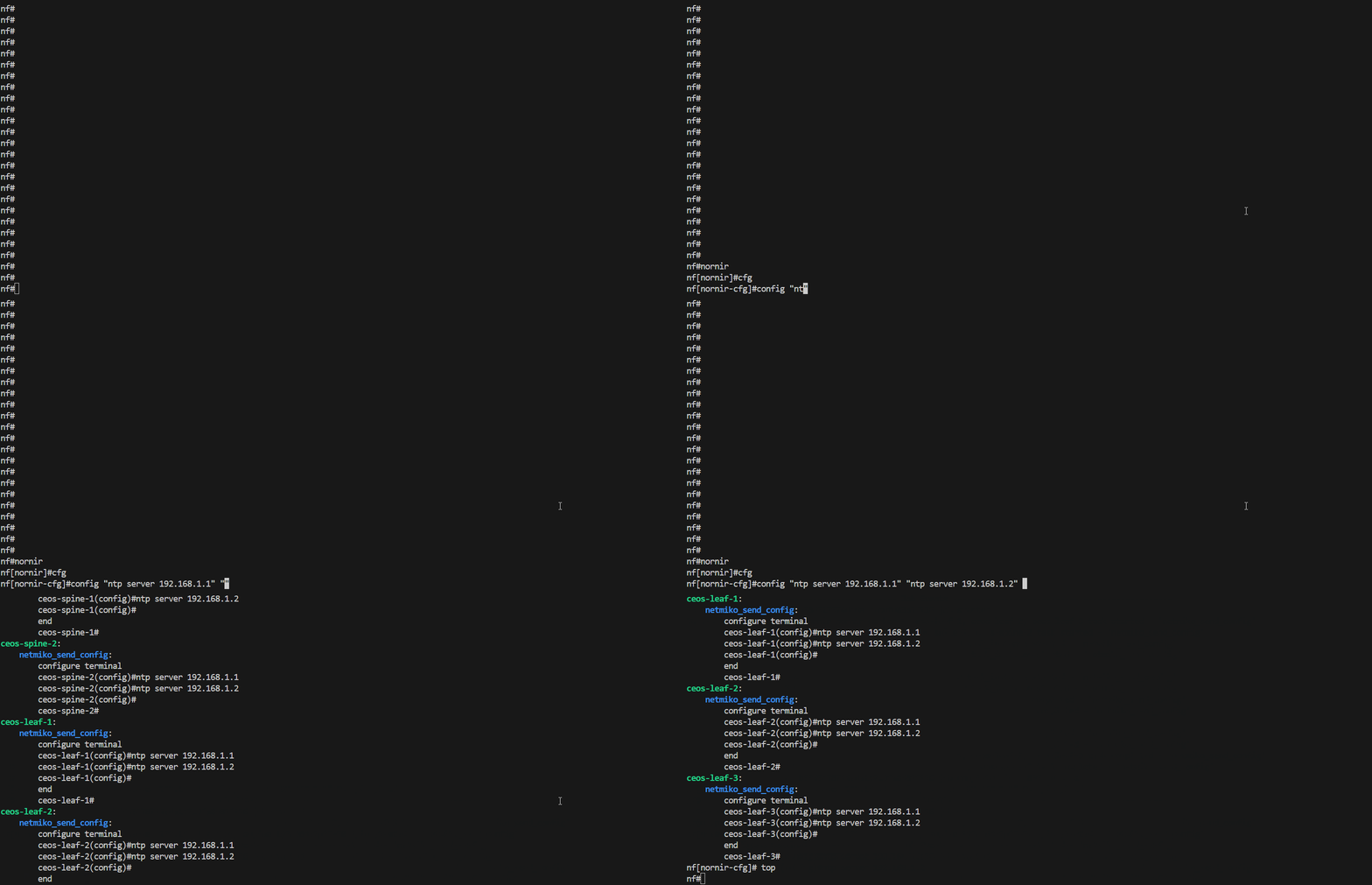
Above sends configuration commands to all Nornir hosts that contain spine or leaf in their hostname as we use FC - "Filter Contains" Nornir hosts targeting filter.
inventory.yaml should be located in same folder where we start nfcli, unless nfcli -i path_to_inventory.yaml flag used. Refer to Getting Started section on how to construct inventory.yaml file
Context manager - configure matching devices:
import pprint

from norfab.core.nfapi import NorFab

with NorFab(inventory="inventory.yaml") as nf:
    client = nf.make_client()

    result = client.run_job(
        service="nornir",
        task="cfg",
        kwargs={
            "config": ["ntp server 10.0.0.1", "ntp server 10.0.0.2"],
            "FC": "spine,leaf",
        },
    )

    pprint.pprint(result)
Direct lifecycle - same task:
import pprint

from norfab.core.nfapi import NorFab

if __name__ == '__main__':
    nf = NorFab(inventory="inventory.yaml")
    nf.start()

    client = nf.make_client()

    res = client.run_job(
        service="nornir",
        task="cfg",
        kwargs={
            "config": ["ntp server 10.0.0.1", "ntp server 10.0.0.2"],
            "FC": "spine,leaf"
        }
    )

    pprint.pprint(res)

    nf.destroy()
Refer to Getting Started section on how to construct inventory.yaml file.
Use Different Configuration Plugins¤
NorFab supports various configuration plugins such as netmiko, napalm and scrapli. These plugins enable you to push configurations to a wide range of network devices. Each plugin has its own set of capabilities and requirements, so it is essential to ensure that your Nornir inventory is properly configured for the chosen plugin. This includes specifying the necessary connection parameters and device-specific settings. By leveraging these plugins, you can standardize and automate the configuration management process across different network environments.
Example
Use Netmiko and enter enable mode before sending configuration:
nf# nornir cfg config "logging host 10.0.0.10" FC spine plugin netmiko enable
Use Scrapli and stop execution when a device rejects a command:
nf# nornir cfg config "logging host 10.0.0.10" FC spine plugin scrapli stop-on-failed
Use NAPALM to merge configuration:
nf# nornir cfg config "logging host 10.0.0.10" FC spine plugin napalm
Context manager - use Netmiko:
import pprint

from norfab.core.nfapi import NorFab

with NorFab(inventory="inventory.yaml") as nf:
    client = nf.make_client()

    result = client.run_job(
        service="nornir",
        task="cfg",
        kwargs={
            "config": ["logging host 10.0.0.10"],
            "FC": "spine",
            "plugin": "netmiko",
            "enable": True,
        },
    )

    pprint.pprint(result)
Direct lifecycle - use Scrapli:
import pprint

from norfab.core.nfapi import NorFab

nf = NorFab(inventory="inventory.yaml")
try:
    nf.start()
    client = nf.make_client()

    result = client.run_job(
        service="nornir",
        task="cfg",
        kwargs={
            "config": ["logging host 10.0.0.10"],
            "FC": "spine",
            "plugin": "scrapli",
            "stop_on_failed": True,
        },
    )

    pprint.pprint(result)
finally:
    nf.destroy()
Using Dry Run¤
The dry run feature in NorFab allows you to simulate the application of configurations without actually pushing them to the devices. This is particularly useful for testing and validation purposes, as it enables you to verify the correctness of your configurations before making any changes to the network. Additionally, the dry run feature can be used for generating and rendering device configurations, which is beneficial for staging environments where you need to prepare configurations in advance. By using dry run, you can ensure that your configurations are accurate and ready for deployment.
Example
nf# nornir cfg config "interface Loopback100" "description managed by NorFab" FC spine dry-run
Context manager - render configuration without applying it:
import pprint

from norfab.core.nfapi import NorFab

with NorFab(inventory="inventory.yaml") as nf:
    client = nf.make_client()

    result = client.run_job(
        service="nornir",
        task="cfg",
        kwargs={
            "config": [
                "interface Loopback100",
                "description managed by NorFab",
            ],
            "FC": "spine",
            "dry_run": True,
        },
    )

    pprint.pprint(result)
Direct lifecycle - dry run with rendered template data:
import pprint

from norfab.core.nfapi import NorFab

nf = NorFab(inventory="inventory.yaml")
try:
    nf.start()
    client = nf.make_client()

    result = client.run_job(
        service="nornir",
        task="cfg",
        kwargs={
            "config": [
                "interface {{ job_data.interface }}",
                "description {{ job_data.description }}",
            ],
            "job_data": {
                "interface": "Loopback100",
                "description": "managed by NorFab",
            },
            "FC": "spine",
            "dry_run": True,
        },
    )

    pprint.pprint(result)
finally:
    nf.destroy()
Using Commit Confirmed¤
The commit confirmed feature provides an added layer of safety when pushing configurations to network devices. With this feature, you can apply a configuration with a rollback timer. If the configuration is not explicitly confirmed within the specified time, it will be automatically rolled back to the previous state. This is particularly useful in scenarios where you need to ensure that a configuration change does not negatively impact the network. By using commit confirmed, you can mitigate the risk of configuration errors and ensure network stability.
Example
nf# nornir cfg config "set system services netconf ssh" FC junos plugin netmiko commit-confirm commit-confirm-delay 5 commit-comment "NorFab staged change"
Context manager - use Netmiko commit confirmed:
import pprint

from norfab.core.nfapi import NorFab

with NorFab(inventory="inventory.yaml") as nf:
    client = nf.make_client()

    result = client.run_job(
        service="nornir",
        task="cfg",
        kwargs={
            "config": ["set system services netconf ssh"],
            "FC": "junos",
            "plugin": "netmiko",
            "commit": {
                "confirm": True,
                "confirm_delay": 5,
                "comment": "NorFab staged change",
            },
        },
    )

    pprint.pprint(result)
Direct lifecycle - NAPALM rollback timer:
import pprint

from norfab.core.nfapi import NorFab

nf = NorFab(inventory="inventory.yaml")
try:
    nf.start()
    client = nf.make_client()

    result = client.run_job(
        service="nornir",
        task="cfg",
        kwargs={
            "config": ["set system services netconf ssh"],
            "FC": "junos",
            "plugin": "napalm",
            "revert_in": 300,
        },
    )

    pprint.pprint(result)
finally:
    nf.destroy()
Sourcing Configuration From Files¤
NorFab allows you to source configurations from text files stored on the broker. This approach enables you to manage configurations as files, making it easier to version control and maintain them. By storing configurations in files, you can apply them as needed, ensuring consistency and repeatability in your configuration management process. This method is particularly useful for large-scale deployments where configurations need to be applied to multiple devices in a controlled and organized manner.
Example
nf# nornir cfg config nf://nornir_configs/common_ntp.cfg FC spine dry-run
Context manager - load config from a broker file:
import pprint

from norfab.core.nfapi import NorFab

with NorFab(inventory="inventory.yaml") as nf:
    client = nf.make_client()

    result = client.run_job(
        service="nornir",
        task="cfg",
        kwargs={
            "config": "nf://nornir_configs/common_ntp.cfg",
            "FC": "spine",
            "dry_run": True,
        },
    )

    pprint.pprint(result)
Direct lifecycle - apply a broker file with Scrapli:
import pprint

from norfab.core.nfapi import NorFab

nf = NorFab(inventory="inventory.yaml")
try:
    nf.start()
    client = nf.make_client()

    result = client.run_job(
        service="nornir",
        task="cfg",
        kwargs={
            "config": "nf://nornir_configs/common_ntp.cfg",
            "FC": "spine",
            "plugin": "scrapli",
        },
    )

    pprint.pprint(result)
finally:
    nf.destroy()
Using Jinja2 Templates¤
Jinja2 templates provide a powerful way to create dynamic configurations based on variables defined in your inventory or passed as job data. By using templates, you can generate configurations that are tailored to the specific requirements of each device. This approach allows you to automate the creation of complex configurations and ensures consistency across your network. Jinja2 templates are highly flexible and can be used to incorporate conditional logic, loops, and other advanced features, making them an essential tool for network automation.
Example
Template file stored on the broker as nf://nornir_templates/loopback.j2:
interface {{ job_data.interface }}
  description {{ host.name }} managed loopback
  ip address {{ host.data.loopback_ip }}/32
Render the template without applying it:
nf# nornir cfg config nf://nornir_templates/loopback.j2 FC spine job-data '{"interface": "Loopback100"}' dry-run
Context manager - render a template from the broker:
import pprint

from norfab.core.nfapi import NorFab

with NorFab(inventory="inventory.yaml") as nf:
    client = nf.make_client()

    result = client.run_job(
        service="nornir",
        task="cfg",
        kwargs={
            "config": "nf://nornir_templates/loopback.j2",
            "job_data": {"interface": "Loopback100"},
            "FC": "spine",
            "dry_run": True,
        },
    )

    pprint.pprint(result)
Direct lifecycle - render inline Jinja2 commands:
import pprint

from norfab.core.nfapi import NorFab

nf = NorFab(inventory="inventory.yaml")
try:
    nf.start()
    client = nf.make_client()

    result = client.run_job(
        service="nornir",
        task="cfg",
        kwargs={
            "config": [
                "interface {{ job_data.interface }}",
                "description {{ host.name }} managed loopback",
            ],
            "job_data": {"interface": "Loopback100"},
            "FC": "spine",
            "dry_run": True,
        },
    )

    pprint.pprint(result)
finally:
    nf.destroy()
Templating Configuration with Inline Job Data¤
Inline job_data is useful when a small amount of per-job data should be passed directly with the request instead of stored in a broker file.
Example
nf# nornir cfg config "router bgp {{ job_data.asn }}" "neighbor {{ job_data.peer }} remote-as {{ job_data.peer_as }}" FC spine job-data '{"asn": 65001, "peer": "192.0.2.2", "peer_as": 65002}' dry-run
Context manager - pass inline job data:
import pprint

from norfab.core.nfapi import NorFab

with NorFab(inventory="inventory.yaml") as nf:
    client = nf.make_client()

    result = client.run_job(
        service="nornir",
        task="cfg",
        kwargs={
            "config": [
                "router bgp {{ job_data.asn }}",
                "neighbor {{ job_data.peer }} remote-as {{ job_data.peer_as }}",
            ],
            "job_data": {
                "asn": 65001,
                "peer": "192.0.2.2",
                "peer_as": 65002,
            },
            "FC": "spine",
            "dry_run": True,
        },
    )

    pprint.pprint(result)
Direct lifecycle - load job data from a broker file:
import pprint

from norfab.core.nfapi import NorFab

nf = NorFab(inventory="inventory.yaml")
try:
    nf.start()
    client = nf.make_client()

    result = client.run_job(
        service="nornir",
        task="cfg",
        kwargs={
            "config": "nf://nornir_templates/bgp_neighbor.j2",
            "job_data": "nf://job_data/bgp_neighbor.yaml",
            "FC": "spine",
            "dry_run": True,
        },
    )

    pprint.pprint(result)
finally:
    nf.destroy()
Parsing and Generating Configuration in Templates¤
NorFab supports parsing of device output and the generation of new configurations within same template using parsing results. This capability allows you to create configurations based on the current state of the device, ensuring that your changes are applied accurately and efficiently. By parsing existing configurations, you can extract relevant information and use it to generate new configurations that are consistent with the device's current setup.
Example
Template file stored on the broker as nf://nornir_templates/ensure_ntp.j2:
{% set ntp_output = norfab.run_job(
    service="nornir",
    task="cli",
    workers="any",
    kwargs={"commands": ["show running-config | include ntp server"], "FL": [host.name]}
) %}
{% if "10.0.0.1" not in ntp_output | string %}
ntp server 10.0.0.1
{% endif %}
Render the generated configuration before applying it:
nf# nornir cfg config nf://nornir_templates/ensure_ntp.j2 FC spine dry-run
Context manager - render generated config:
import pprint

from norfab.core.nfapi import NorFab

with NorFab(inventory="inventory.yaml") as nf:
    client = nf.make_client()

    result = client.run_job(
        service="nornir",
        task="cfg",
        kwargs={
            "config": "nf://nornir_templates/ensure_ntp.j2",
            "FC": "spine",
            "dry_run": True,
        },
    )

    pprint.pprint(result)
Direct lifecycle - apply generated config after review:
import pprint

from norfab.core.nfapi import NorFab

nf = NorFab(inventory="inventory.yaml")
try:
    nf.start()
    client = nf.make_client()

    result = client.run_job(
        service="nornir",
        task="cfg",
        kwargs={
            "config": "nf://nornir_templates/ensure_ntp.j2",
            "FC": "spine",
            "plugin": "netmiko",
        },
    )

    pprint.pprint(result)
finally:
    nf.destroy()
Outputting Text Tables¤
The NorFab interactive shell supports the table command, which can be used to format output into text tables. This feature relies on the tabulate module and supports most of its functionalities. By outputting results in table format, you can easily visualize and analyze the data, making it easier to interpret and act upon. This is particularly useful for displaying configuration results in a structured, concise and readable manner.
Example
nf# nornir cfg config "logging host 10.0.0.10" FC spine add-details table brief
Context manager - return list output for table processing:
import pprint

from norfab.core.nfapi import NorFab

with NorFab(inventory="inventory.yaml") as nf:
    client = nf.make_client()

    result = client.run_job(
        service="nornir",
        task="cfg",
        kwargs={
            "config": ["logging host 10.0.0.10"],
            "FC": "spine",
            "add_details": True,
            "to_dict": False,
        },
    )

    pprint.pprint(result)
Direct lifecycle - collect detailed output for custom formatting:
import pprint

from norfab.core.nfapi import NorFab

nf = NorFab(inventory="inventory.yaml")
try:
    nf.start()
    client = nf.make_client()

    result = client.run_job(
        service="nornir",
        task="cfg",
        kwargs={
            "config": ["logging host 10.0.0.10"],
            "FC": "spine",
            "add_details": True,
        },
    )

    pprint.pprint(result)
finally:
    nf.destroy()
Formatting Output Results¤
You can format the output results using various options provided by the Nornir worker. The output of the commands can be formatted using the to_dict parameter. When set to True, the results will be returned as a dictionary. When set to False, the results will be returned as a list. In addition add_details argument can be used to control the verbosity of the output and return additional Nornir result information such as:
changedflagdiffcontent if supported by pluginfailedstatusexceptiondetails if task execution failed with errorconnection_retrycounter to show how many times RetryRunner tried to establish a connectiontask_retrycounter to show how many times RetryRunner tried to run this task
Example
nf# nornir cfg config "logging host 10.0.0.10" FC spine add-details
Save results to a worker file group for later diff:
nf# nornir cfg config "logging host 10.0.0.10" FC spine tf cfg-baseline
Context manager - request detailed result metadata:
import pprint

from norfab.core.nfapi import NorFab

with NorFab(inventory="inventory.yaml") as nf:
    client = nf.make_client()

    result = client.run_job(
        service="nornir",
        task="cfg",
        kwargs={
            "config": ["logging host 10.0.0.10"],
            "FC": "spine",
            "add_details": True,
        },
    )

    pprint.pprint(result)
Direct lifecycle - store results for later comparison:
import pprint

from norfab.core.nfapi import NorFab

nf = NorFab(inventory="inventory.yaml")
try:
    nf.start()
    client = nf.make_client()

    result = client.run_job(
        service="nornir",
        task="cfg",
        kwargs={
            "config": ["logging host 10.0.0.10"],
            "FC": "spine",
            "tf": "cfg-baseline",
        },
    )

    pprint.pprint(result)
finally:
    nf.destroy()
Tuning Netmiko Read Handling¤
Netmiko configuration pushes can be tuned for devices with slow command echo, unusual configuration prompts, or banner-style commands. Use options such as read-timeout, cmd-verify, terminator, and bypass-commands to control how Netmiko waits for command completion and validates command echo.
Example
nf# nornir cfg config "banner motd ^CAuthorized access only^C" FC spine plugin netmiko read-timeout 30 cmd-verify false
Context manager - tune Netmiko command verification:
import pprint

from norfab.core.nfapi import NorFab

with NorFab(inventory="inventory.yaml") as nf:
    client = nf.make_client()

    result = client.run_job(
        service="nornir",
        task="cfg",
        kwargs={
            "config": ["banner motd ^CAuthorized access only^C"],
            "FC": "spine",
            "plugin": "netmiko",
            "read_timeout": 30,
            "cmd_verify": False,
        },
    )

    pprint.pprint(result)
Direct lifecycle - use an alternate config terminator:
import pprint

from norfab.core.nfapi import NorFab

nf = NorFab(inventory="inventory.yaml")
try:
    nf.start()
    client = nf.make_client()

    result = client.run_job(
        service="nornir",
        task="cfg",
        kwargs={
            "config": ["banner motd ^CAuthorized access only^C"],
            "FC": "spine",
            "plugin": "netmiko",
            "terminator": r"#",
            "read_timeout": 30,
        },
    )

    pprint.pprint(result)
finally:
    nf.destroy()
NORFAB Nornir CFG Shell Reference¤
NorFab shell supports these command options for Nornir cfg task:
nf# man tree nornir.cfg
root
└── nornir:    Nornir service
    └── cfg:    Configure devices over CLI interface
        ├── timeout:    Job timeout
        ├── workers:    Filter worker to target, default 'all'
        ├── add-details:    Add task details to results, default 'False'
        ├── num-workers:    RetryRunner number of threads for tasks execution
        ├── num-connectors:    RetryRunner number of threads for device connections
        ├── connect-retry:    RetryRunner number of connection attempts
        ├── task-retry:    RetryRunner number of attempts to run task
        ├── reconnect-on-fail:    RetryRunner perform reconnect to host on task failure
        ├── connect-check:    RetryRunner test TCP connection before opening actual connection
        ├── connect-timeout:    RetryRunner timeout in seconds to wait for test TCP connection to establish
        ├── creds-retry:    RetryRunner list of connection credentials and parameters to retry
        ├── tf:    File group name to save task results to on worker file system
        ├── tf-skip-failed:    Save results to file for failed tasks
        ├── diff:    File group name to run the diff for
        ├── diff-last:    File version number to diff, default is 1 (last)
        ├── progress:    Display progress events, default 'True'
        ├── table:    Table format (brief, terse, extend) or parameters or True
        ├── headers:    Table headers
        ├── headers-exclude:    Table headers to exclude
        ├── sortby:    Table header column to sort by
        ├── reverse:    Table reverse the sort by order
        ├── FO:    Filter hosts using Filter Object
        ├── FB:    Filter hosts by name using Glob Patterns
        ├── FH:    Filter hosts by hostname
        ├── FC:    Filter hosts containment of pattern in name
        ├── FR:    Filter hosts by name using Regular Expressions
        ├── FG:    Filter hosts by group
        ├── FP:    Filter hosts by hostname using IP Prefix
        ├── FL:    Filter hosts by names list
        ├── FM:    Filter hosts by platform
        ├── FX:    Filter hosts excluding them by name
        ├── FN:    Negate the match
        ├── hosts:    Filter hosts to target
        ├── dry-run:    Dry run cfg function
        ├── *config:    List of configuration commands to send to devices
        ├── plugin:    Configuration plugin parameters
        │   ├── netmiko:    Use Netmiko plugin to configure devices
        │   │   ├── enable:    Attempt to enter enable-mode
        │   │   ├── exit-config-mode:    Determines whether or not to exit config mode after complete
        │   │   ├── strip-command:    Determines whether or not to strip the command
        │   │   ├── read-timeout:    Absolute timer to send to read_channel_timing
        │   │   ├── config-mode-command:    The command to enter into config mode
        │   │   ├── cmd-verify:    Whether or not to verify command echo for each command in config_set
        │   │   ├── enter-config-mode:    Do you enter config mode before sending config commands
        │   │   ├── error-pattern:    Regular expression pattern to detect config errors in the output
        │   │   ├── terminator:    Regular expression pattern to use as an alternate terminator
        │   │   ├── bypass-commands:    Regular expression pattern indicating configuration commands, cmd_verify is automatically disabled
        │   │   ├── commit:    Commit configuration, default 'True'
        │   │   ├── commit-confirm:    Perform commit confirm on supported platforms
        │   │   ├── commit-confirm-delay:    Confirmed commit rollback timeout in minutes, used with commit-confirm
        │   │   ├── commit-final-delay:    Time to wait in seconds before doing final commit, used with commit-confirm
        │   │   ├── commit-comment:    Commit operation comment
        │   │   └── batch:    Commands count to send in batches
        │   ├── scrapli:    Use Scrapli plugin to configure devices
        │   │   ├── dry-run:    Apply changes or not, also tests if possible to enter config mode
        │   │   ├── strip-prompt:    Strip prompt from returned output
        │   │   ├── failed-when-contains:    String or list of strings indicating failure if found in response
        │   │   ├── stop-on-failed:    Stop executing commands if command fails
        │   │   ├── privilege-level:    Name of configuration privilege level to acquire
        │   │   ├── eager:    Do not read until prompt is seen at each command sent to the channel
        │   │   └── timeout-ops:    Timeout ops value for this operation
        │   └── napalm:    Use NAPALM plugin to configure devices
        │       ├── replace:    Whether to replace or merge the configuration
        │       ├── dry-run:    Apply changes or not, also tests if possible to enter config mode
        │       └── revert-in:    Amount of time in seconds after which to revert the commit
        └── job-data:    Path to YAML file with job data
nf#
* - mandatory/required command argument
Python API Reference¤
Task to send configuration commands to devices using Command Line Interface (CLI).
Parameters:
| Name | Type | Description | Default |
|---|---|---|---|
job
|
Job
|
NorFab Job object containing relevant metadata |
required |
config
|
list
|
List of commands to send to devices or URL to a file or template URL that resolves to a file. |
required |
plugin
|
str
|
Plugin name to use. Valid options are:
|
'netmiko'
|
dry_run
|
bool
|
If True, will not send commands to devices but just return them. |
False
|
to_dict
|
bool
|
If True, returns results as a dictionary. Defaults to True. |
True
|
add_details
|
bool
|
If True, adds task execution details to the results. |
False
|
job_data
|
str
|
URL to YAML file with data or dictionary/list of data to pass on to Jinja2 rendering context. |
None
|
**kwargs
|
Any
|
Additional arguments to pass to the task plugin. |
{}
|
Returns:
| Name | Type | Description |
|---|---|---|
dict |
Result
|
A dictionary with the results of the configuration task. |
Raises:
| Type | Description |
|---|---|
UnsupportedPluginError
|
If the specified plugin is not supported. |
FileNotFoundError
|
If the specified job data file cannot be downloaded. |
Source code in norfab\workers\nornir_worker\cfg_task.py
77 78 79 80 81 82 83 84 85 86 87 88 89 90 91 92 93 94 95 96 97 98 99 100 101 102 103 104 105 106 107 108 109 110 111 112 113 114 115 116 117 118 119 120 121 122 123 124 125 126 127 128 129 130 131 132 133 134 135 136 137 138 139 140 141 142 143 144 145 146 147 148 149 150 151 152 153 154 155 156 157 158 159 160 161 162 163 164 165 166 167 168 169 170 171 172 173 174 175 176 177 178 179 180 181 182 183 184 185 186 187 | |